Everything at a glance.
Nothing in your way.
NeatNotch turns the notch into a small, quiet panel for your day, your music and your files. It opens when you reach for it, and gets out of the way when you don't.
Minimal
No new windows. No menu-bar icon. It uses the space you already have and adds nothing to your screen.
Configurable
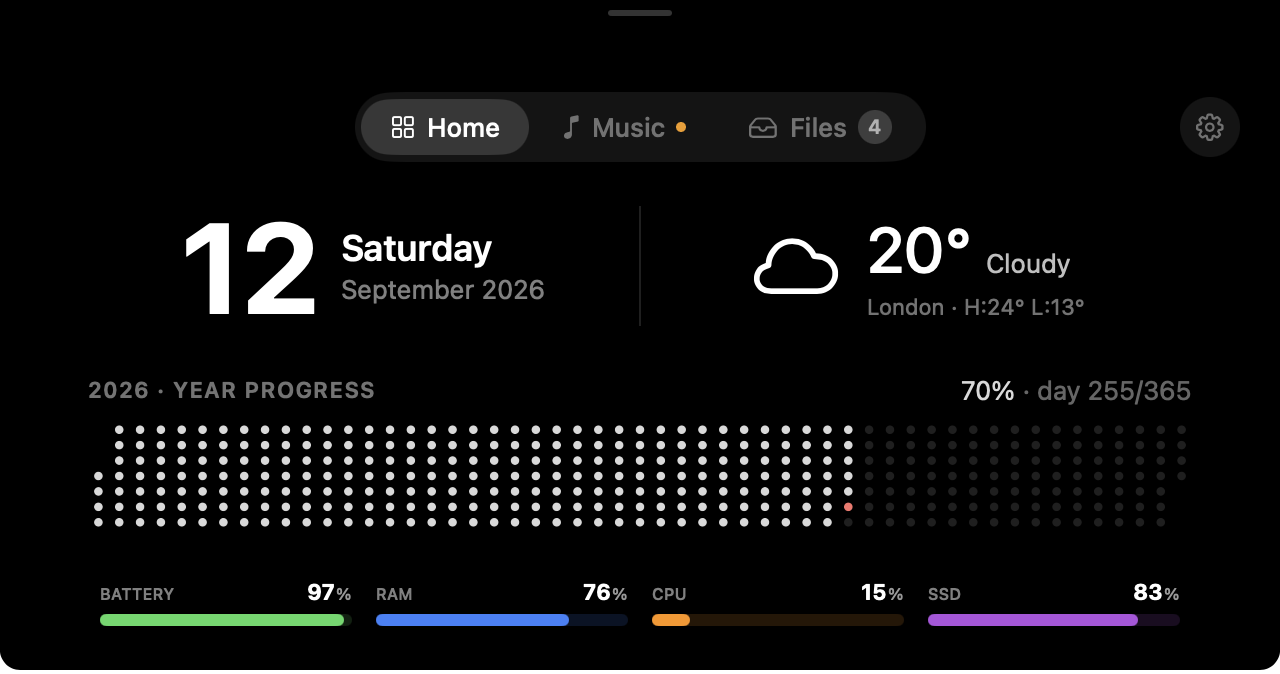
Dots, bars or rings. All four stats or none. Set it up once to suit how you work, then forget about it.
Doesn't distract
Quiet by default. It stays tucked into the notch until your cursor asks for it, then steps aside again.
Small friction, all day long. Gone.
NeatNotch isn't about doing more. It removes the little reaches and hunts you don't notice until they stop.
That strip of screen around the notch is just wasted.
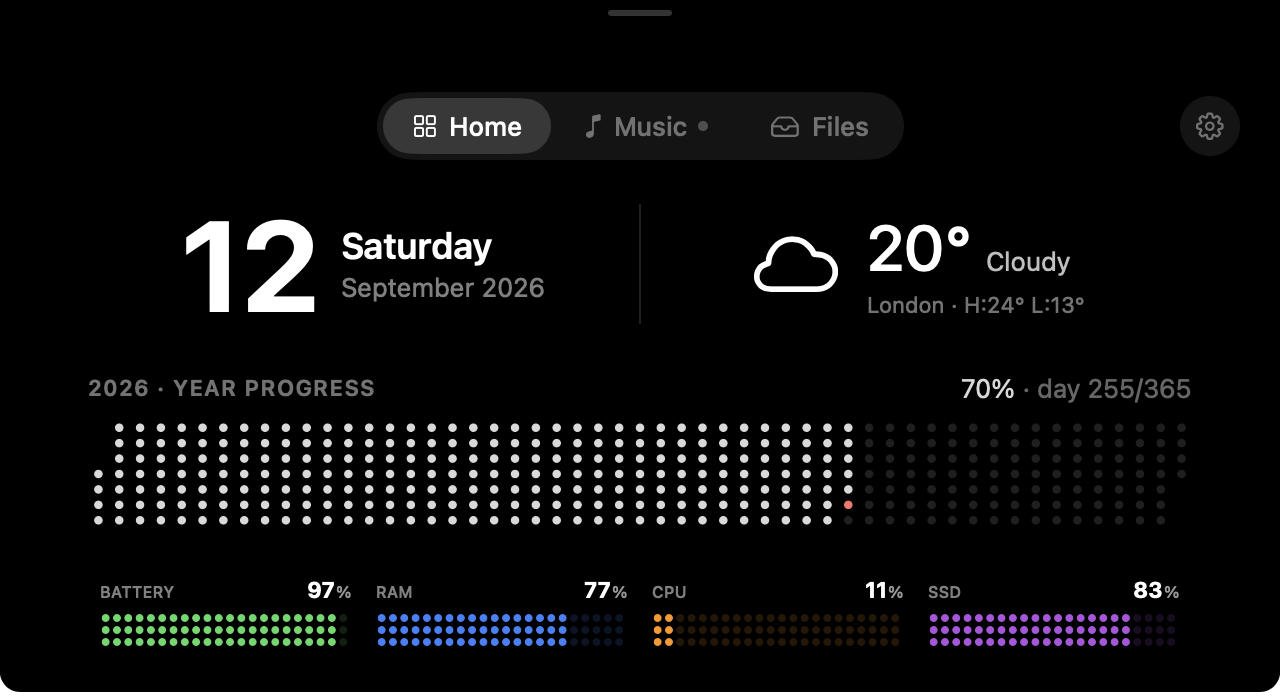
NeatNotch puts the date, weather, how far into the year you are, and your Mac's vitals right there. A calm dashboard you read in a glance, no window to open.
Skipping a track shouldn't mean digging through tabs.
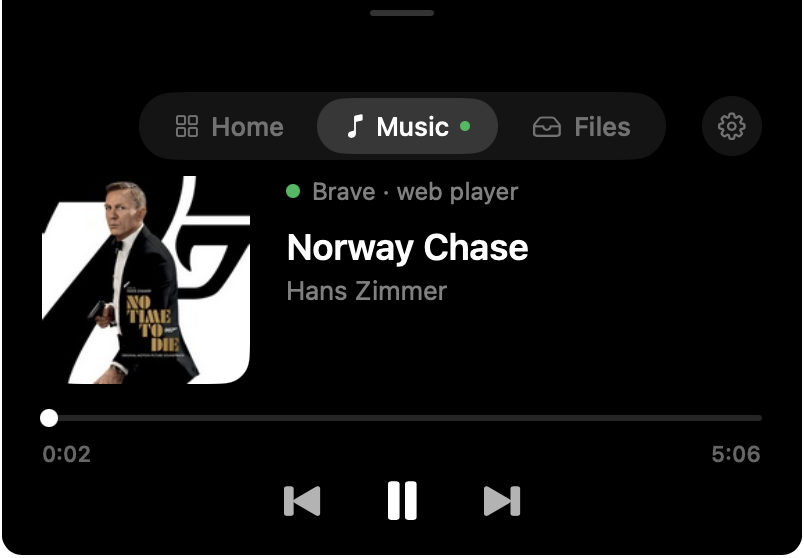
Play, pause and skip live in the notch, whether the music is in your browser, YouTube Music, Apple Music or Spotify. Album art and progress come along too.
One more menu-bar icon to squint at and hunt for.
There's nothing to find. NeatNotch already lives where your eyes go. Nudge your cursor to the notch and it opens. Your menu bar stays clean.

Show as much, or as little, as you like
A dashboard should suit how you work. Pick a look, keep the stats you care about, hide the rest.
Year progress and every stat as dots. The signature look.
Up and running in a minute
No account, no setup wizard. Download it, open it, and your notch does the rest.
Download and open
Grab the .dmg, drag NeatNotch to Applications, launch it once.
Reach for the notch
Move your cursor up and the panel opens. Move away and it's gone. That's the whole gesture.
Make it yours
Choose dots, bars or rings, pick your stats, and you're set.
Pay once. It's yours.
No subscription, no seats to renew. One payment, two years of updates, and you keep your last eligible version after that.
Answers before you ask
Is it really a one-time payment?
What happens after the 14-day free trial?
Who is eightmegabytes?
Which music apps does it control?
Which Macs does NeatNotch work on?
How do I install it?

Give the notch a job it's good at
Try the full app free for 14 days. If it earns its place, one payment keeps it. No subscription, ever.